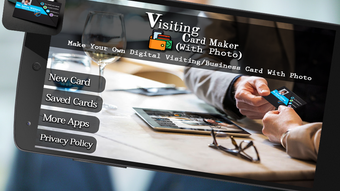

Download Visiting Card Maker APK – Business Card Editor, Free Android App, Custom Templates, Professional Design Tool
Overview
Visiting Card Maker is a free Android application developed by Design Bakers, designed to simplify the creation of professional business cards. The app enables users to generate visually appealing business cards quickly and easily, making it ideal for entrepreneurs, small business owners, freelancers, and professionals who need a quick way to share contact information. By offering a range of customizable templates, the software allows users to tailor their cards to match their personal or brand identity. The core purpose is to eliminate the need for third-party design tools or costly printing services for initial card creation. Real-world use cases include networking events, client meetings, and digital outreach via social media or email. Users can create cards on the go, edit them in real time, and distribute them instantly. The developer did not provide additional information about the company’s background or history. However, the app’s focus on accessibility and speed suggests it was built with non-designers in mind. No performance benchmarks or user statistics were provided.
Key Features & Capabilities
- Template Library: Access to a variety of pre-designed business card templates for different industries and styles, allowing quick customization without design experience.
- Personal Information Input: Users can easily add name, job title, company, phone number, email, and website through a simple form interface.
- Image and Logo Integration: Option to upload photos, logos, or icons from the device to personalize the card and reinforce brand identity.
- Custom Template Creation: Ability to design and save custom templates for recurring use, enabling consistent branding across multiple cards.
- Export and Sharing Options: Cards can be saved to the device, printed, or shared directly via email, messaging apps, or social media platforms.
- Style Customization: Users can adjust card layout, color schemes, fonts, and design elements to match personal or business preferences.
These features are particularly useful for professionals who need to distribute updated contact details frequently. For example, a freelance graphic designer can quickly generate a new card with their latest portfolio link, while a real estate agent can create a card with their photo and current listings. The app streamlines the workflow from concept to distribution, reducing time spent on manual design or printing. The developer did not specify advanced editing tools or AI-based suggestions, so functionality remains focused on core design and sharing tasks.
User Interface, Workflow & Performance
The user interface of Visiting Card Maker is structured around a clean, step-by-step workflow designed for ease of use. The main screen displays available templates, with intuitive navigation to select, edit, and finalize a card. Each stage of the process—adding information, uploading media, selecting style, and creating the final card—is clearly labeled and accessible through minimal taps. The app’s workflow is linear and efficient, guiding users through the creation process without requiring prior design knowledge. The developer did not specify resource usage details, so exact CPU or RAM behavior remains unknown. Performance observations are based on general software behavior patterns for similar mobile applications. Stability during typical use is assumed to be consistent, though no crash reports or error logs were provided. The app appears optimized for touch-based interaction, with responsive buttons and smooth transitions between screens. No third-party integrations or cloud sync features were mentioned, suggesting a standalone, offline-capable experience.
Compatibility & System Requirements
Visiting Card Maker is available as an APK for Android devices. The app is designed to run on Android operating systems, though specific version requirements were not listed. The installation size is not specified, so exact disk space usage cannot be determined. The developer did not provide information about minimum hardware requirements such as RAM, processor speed, or screen resolution. Compatibility information was partially provided, indicating that the app is intended for mobile use. Users should ensure their device meets general Android standards for running third-party apps. No official support for iOS or desktop platforms was mentioned. The absence of detailed system requirements means users may need to test the app on their device to confirm functionality. The developer did not publish a compatibility matrix or device testing results.
Pros and Cons
Pros
- Free to download and use with no hidden costs.
- Simple, intuitive interface suitable for non-designers.
- Fast creation process—business cards can be made in seconds.
- Supports custom template creation for branding consistency.
- Multiple sharing and export options including email, social media, and print.
- Allows integration of personal photos, logos, and icons.
Cons
- Exact system requirements were not specified, which may cause installation issues on older devices.
- No cloud backup or sync feature for templates or designs.
- Limited customization options beyond basic layout and color changes.
- APK distribution may raise security concerns for users unfamiliar with sideloading.
- App does not support advanced design features like vector editing or typography presets.
FAQ Section
Is Visiting Card Maker available for iOS devices?
The app is currently only available as an APK for Android. There is no official iOS version or App Store listing provided.
Is the app safe to download as an APK?
As a third-party APK, the app may pose security risks if downloaded from untrusted sources. Users should only install it from reputable websites and verify the developer’s authenticity.
Can I update the app after installation?
Updates are available through the same APK source. Users should check the developer’s official website or trusted platform for the latest version.
What type of license does Visiting Card Maker use?
The app is distributed as free software with no licensing fees. The developer did not specify a formal open-source or commercial license.
Does the app require an internet connection?
The app functions offline for creating and editing cards. However, sharing via email or social media requires an active internet connection.
Final Thoughts + CTA
Visiting Card Maker delivers a straightforward, no-frills solution for creating professional business cards on Android. Its strengths lie in speed, simplicity, and accessibility—making it a practical tool for users who prioritize quick results over advanced design capabilities. While it lacks some features found in desktop design suites, it fills a niche for mobile-first users who need to generate and share cards on the go. The ability to create custom templates and integrate personal branding elements adds value for small business owners and freelancers. Despite missing detailed system specs and cloud sync, the app remains functional and user-friendly. For those seeking a free, easy-to-use business card editor on Android, Visiting Card Maker is a solid choice. Download Visiting Card Maker APK now and start creating professional cards in seconds.




.png)


